If you are looking for a MailReach alternative, the deciding question is usually cost at your mailbox count. MailReach bills per mailbox, so the bill grows with every inbox you add. A flat-rate warmer charges the same whether you warm 11 mailboxes or 200. Which model is cheaper depends on how many inboxes you run and whether you also need the spam testing that MailReach bundles in.
This page compares MailReach with SuperWarm on price, setup, provider coverage and testing, using each company's own pages.
Who this comparison is for
This is for people who already send cold or B2B email from their own tools and need a separate service to warm the mailboxes. Typical readers are:
- Founders and small sales teams running a handful of Google Workspace or Microsoft 365 inboxes.
- Agencies and lead gen teams warming dozens of mailboxes across several client domains.
- Anyone whose warming bill has grown with every inbox they added.
Neither tool here sends your campaigns. If you want sequences, inbox rotation and warming in one product, you need a sending platform, which is a different purchase.
What to compare before you switch
How price scales with mailbox count. A per-mailbox rate is easy to budget for one inbox and expensive at fifty. A flat rate works the other way. Count the mailboxes you run today and the number you expect in six months, then price both models at that number.
How you connect a mailbox. Some warmers use OAuth, where you sign in with Google or Microsoft and grant access. Others use app passwords or SMTP credentials. OAuth means you don't create and store a separate password for each inbox, which matters when you are connecting many of them.
Which providers you use. Warming matters most for Google Workspace and Microsoft 365, because those are the inboxes most B2B recipients use. If you send through SendGrid, Mailgun, Amazon SES or raw SMTP, check that the tool supports those senders.
Whether you need placement testing. Warming builds reputation. A placement test shows where a real message lands: inbox, promotions or spam. Some buyers want both in one bill and some already test elsewhere.
Authentication. Warming does not replace correct DNS records. Signet's comparison of warming tools argues that since Google and Yahoo started enforcing their bulk-sender rules, correct SPF, DKIM and DMARC decide inbox placement more than any warmup network does. Set those up before you judge any warmer.
MailReach vs SuperWarm at a glance
| MailReach | SuperWarm | |
|---|---|---|
| What it is | Email warmup plus spam and inbox placement testing | Mailbox warming only |
| Providers | Any email service provider that supports SMTP, with dedicated pages for Outlook, Google, SendGrid, Mailgun and Amazon SES | Google Workspace and Microsoft 365 |
| How you connect | SMTP credentials; its helpdesk has a guide to connecting Google Workspace with an App Password | OAuth |
| Pricing model | Per mailbox | Flat rate |
| Warming price (monthly billing) | $19.5 per mailbox per month | Free for 10 mailboxes, unlimited mailboxes for $49/mo |
| Annual billing | The pricing page advertises 20% off for annual billing | |
| Spam test credits | At least 20 included with the All-In-One warming plan; a separate pay-as-you-go Spam Tester plan | |
| Free option | Free spam test | Free plan with 10 mailboxes |
| Large volumes | Custom pricing for 100+ mailboxes and for agencies | Same $49/mo price |
Sources: MailReach's pricing page, MailReach's email warmup page and homepage, and SuperWarm's homepage.
What warming costs at your mailbox count
This table multiplies MailReach's published monthly rate of $19.5 per mailbox by the number of mailboxes. It excludes the 20% annual discount and any sale pricing. MailReach's pricing slider stops at "100+", where the page asks you to contact them for a custom price, so that row shows a quote instead of a number.
| Mailboxes | MailReach warming, monthly billing | SuperWarm |
|---|---|---|
| 1 | $19.50/mo | Free |
| 5 | $97.50/mo | Free |
| 10 | $195/mo | Free |
| 25 | $487.50/mo | $49/mo |
| 50 | $975/mo | $49/mo |
| 80 | $1,560/mo | $49/mo |
| 100+ | Custom quote | $49/mo |
The MailReach figures cover warming plus the spam test credits bundled with its All-In-One plan, so you are not comparing identical products. If you would use those tests every month, count them in MailReach's favor. If you only need warming, the gap is what you pay for testing you would not use.
MailReach
MailReach describes itself on its homepage as a deliverability tool built around two things: email warmup and a spam test that shows where your emails land. You can run the spam test for free before paying for anything.
According to its email warmup page, connecting an address starts conversations with a network of more than 30,000 high-reputation inboxes. Volume ramps up gradually, to as many as 100 warming emails a day. Warming emails get opened, marked as important, removed from spam and replied to. The warming messages are hidden from your mailbox. MailReach tracks a reputation score per address and per provider. Accounts with six or more mailboxes get an average score per domain, tag and provider, and you can get alerts in Slack or through webhooks when a score changes. The page also lists approaches MailReach deliberately skips, such as warming templates, warming by industry and warming in your local language. It argues that none of these affects reputation.
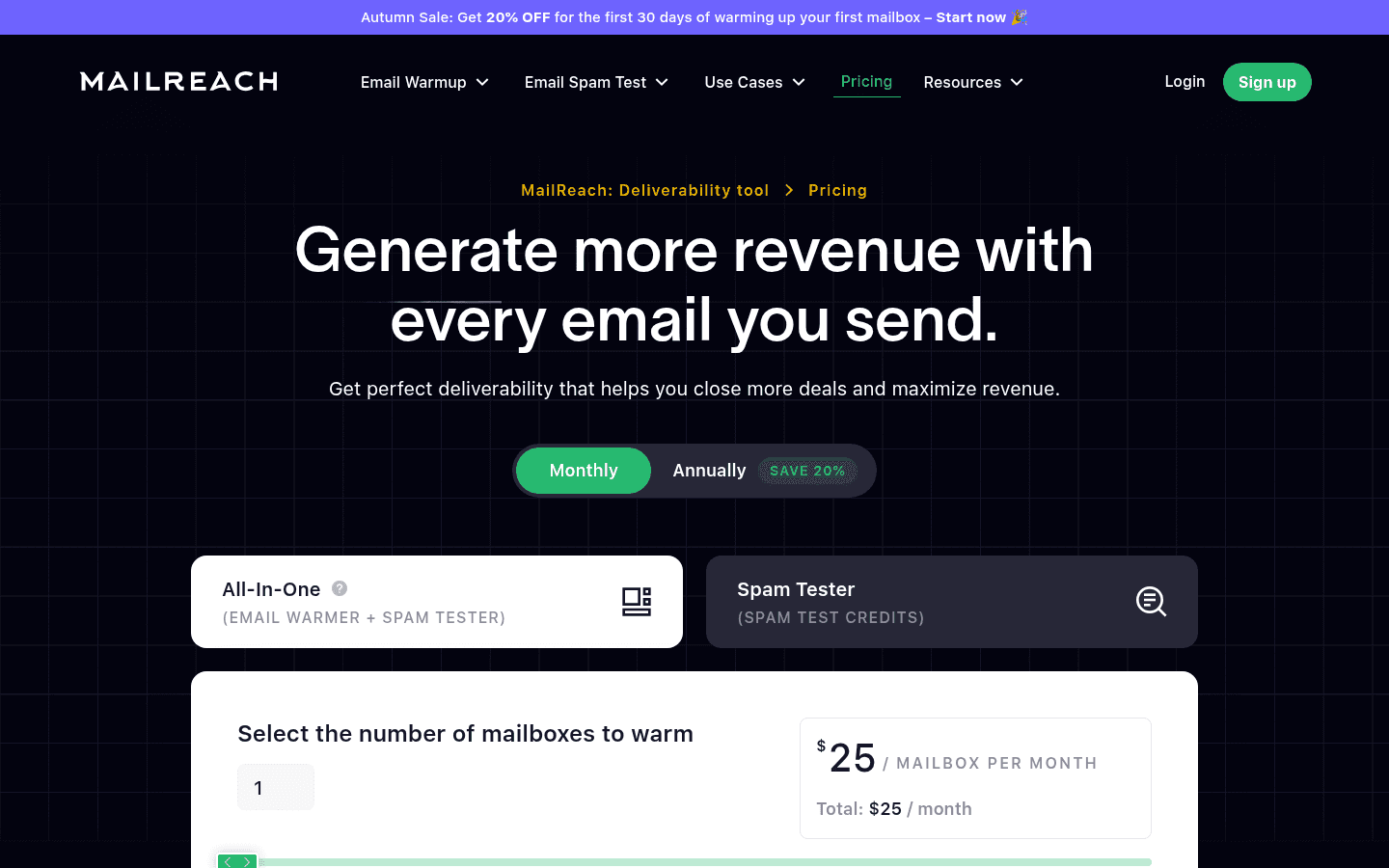
MailReach's pricing page sets warming at $19.5 per mailbox per month on monthly billing, with 20% off for annual billing. The All-In-One plan always includes at least 20 spam test credits. It lists automated warmup, a "smart AI warming algorithm", warming across multiple providers including Google and Outlook, up to 100 emails per day, a reputation tracking dashboard, and domain and inbox health checks for blacklists, SPF, DKIM, DMARC and ETS. A separate pay-as-you-go Spam Tester plan sells test credits on their own. It includes automatic spam tests with Slack and webhook alerts, inbox placement by provider, a blacklist checker, a links checker, seed list rotation, a spam words checker and a reverse DNS checker. Above 100 mailboxes, and for agencies, MailReach offers custom pricing.
MailReach says it works with any provider that supports SMTP. Its helpdesk includes a guide to connecting a Gmail or Google Workspace account with an App Password.
Pick MailReach if you run a small number of mailboxes, want warming and inbox placement testing from one vendor, or send through SMTP services such as SendGrid, Mailgun or Amazon SES.
SuperWarm
SuperWarm does one job: it automatically warms Google Workspace and Microsoft 365 mailboxes. You connect each mailbox through OAuth, so there is no app password to create for each inbox. Separate pages cover Gmail and Google Workspace warming and Outlook and Microsoft 365 warming.
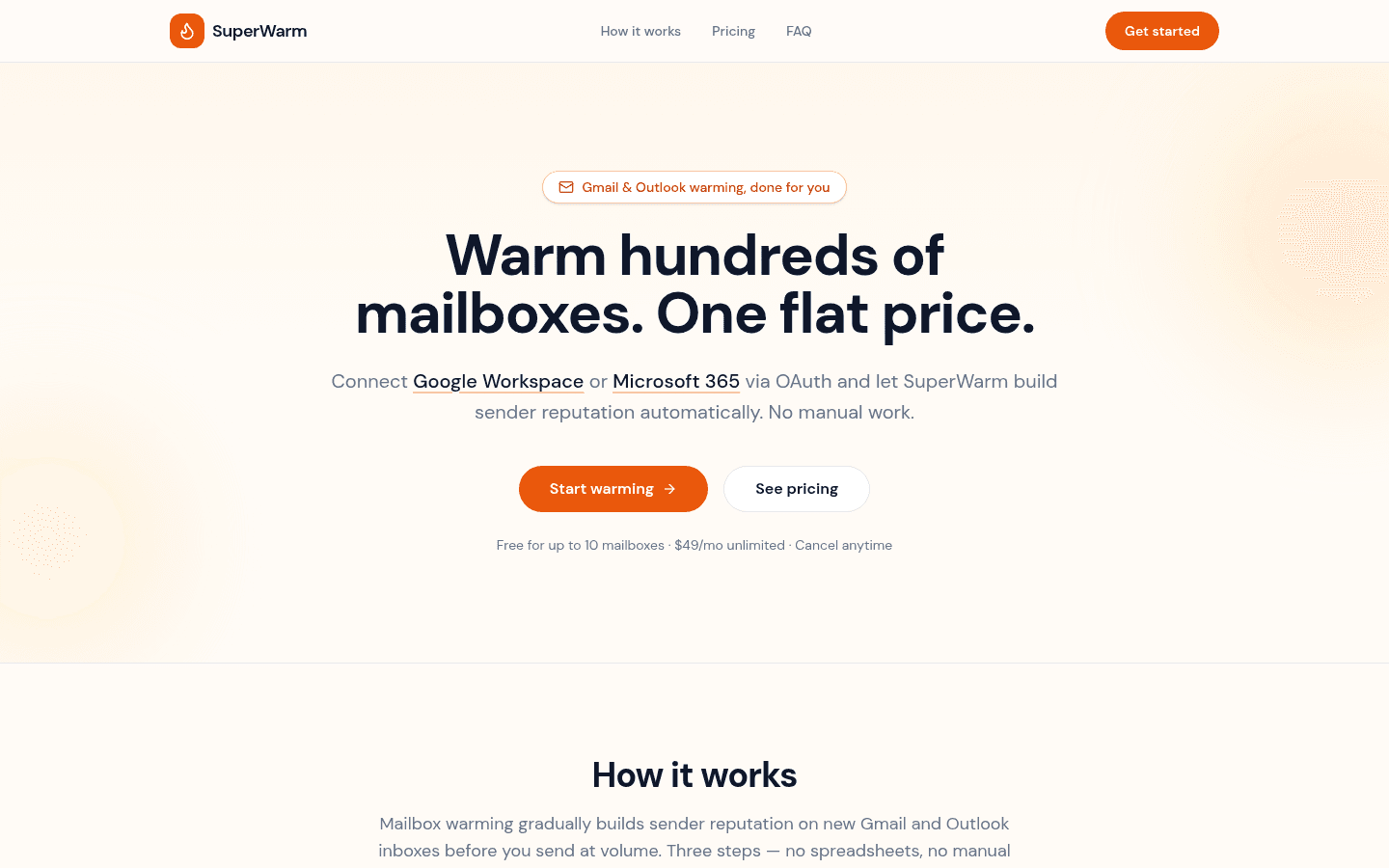
Pricing is flat. You can warm 10 mailboxes for free, or an unlimited number for $49/mo. At eleven mailboxes or a few hundred, the price stays the same.
SuperWarm is not a sending or outreach platform, and it does not run placement tests. You keep sending from whatever tool you use now. If you want a seed-list test of where your messages land, you will need a separate testing tool.
Pick SuperWarm if your mailboxes are on Google Workspace or Microsoft 365, you run more than a few of them, and your warming bill is growing with every inbox you add.
The pick
If you run fewer than about three mailboxes and you would actually use monthly spam tests, MailReach's bundle is easy to justify. You get warming, reputation scores and placement testing from one place.
Once you pass ten mailboxes on Google Workspace or Microsoft 365, the per-mailbox model costs more every month while the flat rate stays at $49. At that point, SuperWarm for warming plus a separate placement test when you need one usually costs less than paying $19.5 for every inbox. For a team still under ten mailboxes, SuperWarm's free plan lets you compare the two side by side without paying anything.
If you are also weighing other warmers, our SuperWarm vs Warmbox comparison covers that matchup the same way.
FAQ
- Is MailReach a cold email platform?
- No. MailReach warms mailboxes and tests spam placement. You send campaigns from a separate tool. SuperWarm works the same way.
- Can I check whether my emails really reach the inbox, not just pass SPF, DKIM and DMARC?
- Yes, with a seed-list placement test. MailReach sells these as spam test credits and offers a free test on its homepage. SuperWarm only warms mailboxes, so you would pair it with a separate test.
- Does warming replace SPF, DKIM and DMARC?
- No. Authentication comes first, and warming builds reputation on top of it. Signet's analysis makes the point that under Google's and Yahoo's sender rules, authentication now weighs more on placement than any warmup network.
- How long should I warm a new mailbox before sending?
- It depends on the mailbox's age and how much you plan to send. Our guide to how long to warm a mailbox walks through it.
- Do I have to stop warming once a mailbox is ready?
- MailReach's resources argue for keeping warming on. With per-mailbox pricing, that means paying for each inbox indefinitely. With a flat rate, ongoing warming adds no cost per inbox.
- Can I move from MailReach to SuperWarm without downtime?
- SuperWarm connects mailboxes through OAuth. You can connect your Google Workspace and Microsoft 365 inboxes before you cancel MailReach, then stop the old subscription once warming is running.
Start warming
If your mailboxes are on Google Workspace or Microsoft 365, connect the first 10 for free and see how SuperWarm runs alongside your current sending tool. You can create your SuperWarm account and move to unlimited mailboxes for $49/mo when you need more.